See the exact price where your trailing drawdown gets hit.
Futures prop traders blow accounts on the trailing max drawdown — but no chart shows where that level actually is. This free indicator draws your liquidation line on the chart and ratchets it exactly like the firm does. Works on Apex, Topstep, MyFundedFutures and any futures firm.
Free Pine source + install guide, emailed to you. No paid TradingView plan needed — you paste it into your own Pine Editor.
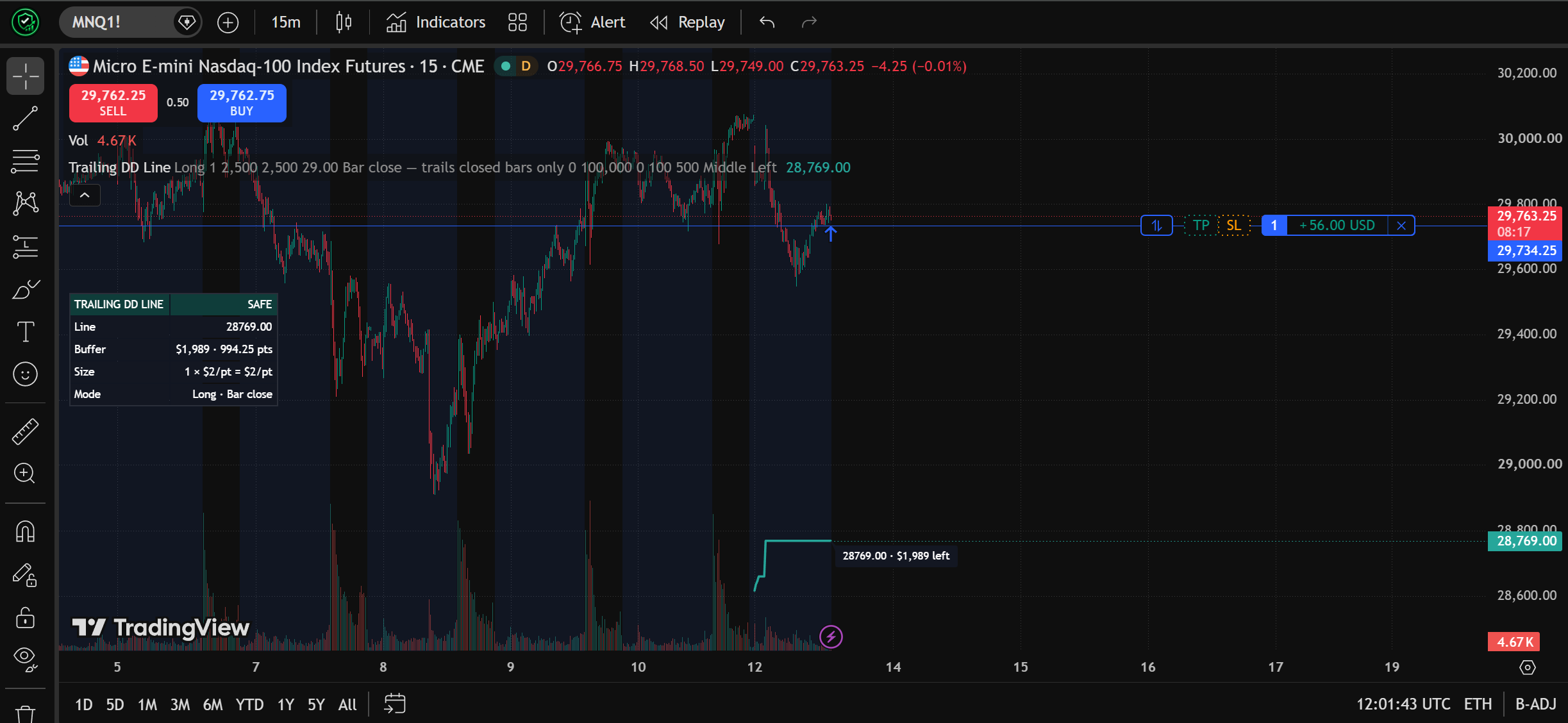
Stop doing the drawdown math in your head
You enter your firm's trailing DD size, your buffer at entry and your contract count, then click your entry on the chart. The indicator does the rest:
- Draws the exact price where the account would breach the trailing max drawdown
- Ratchets the line up (or down, for shorts) as price makes new highs — never against you
- Shows how many dollars and points of buffer you have left, live
- Freezes when you go flat, because real DD levels stop moving when you're out
- Turns red and stays red the moment the line is touched — a DD hit is terminal
Install it in 60 seconds
No paid plan, no publishing, no account approval. You paste the source into your own TradingView Pine Editor — that's free on any account.
- 1Open TradingView, open any chart, and open the Pine Editor panel at the bottom.
- 2Open the .pine file we email you, copy everything, and paste it into the editor.
- 3Click “Add to chart” — it asks you to click your entry point on the chart.
- 4Set your contracts, firm trailing DD size and buffer at entry from your firm dashboard.
- 5Pick the trailing model that matches your firm, and optionally add the two alerts.
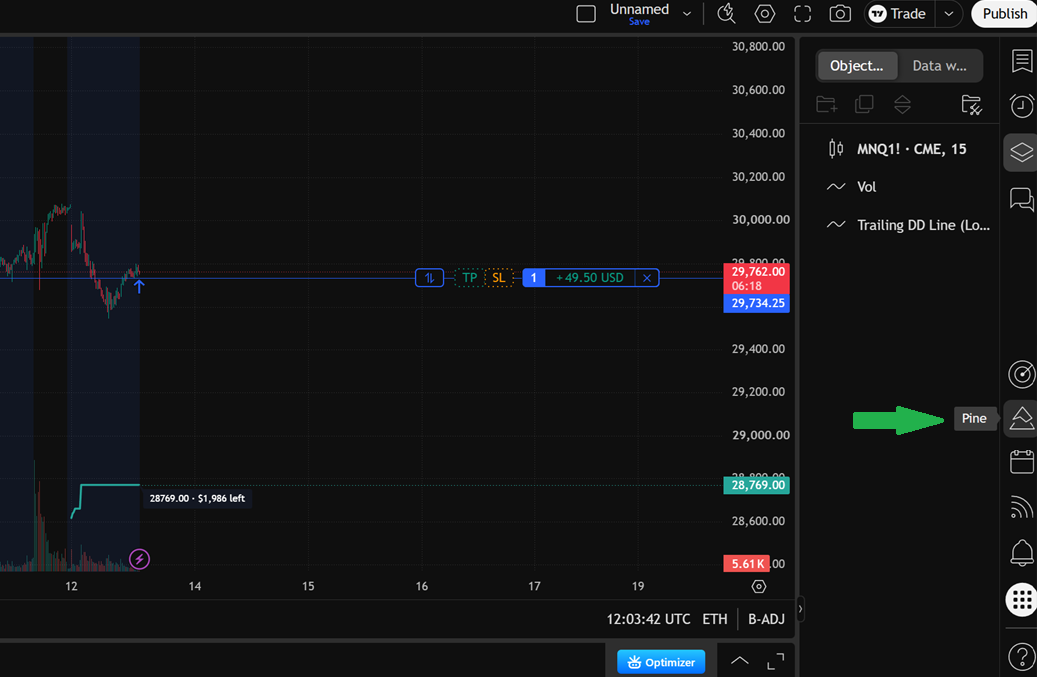
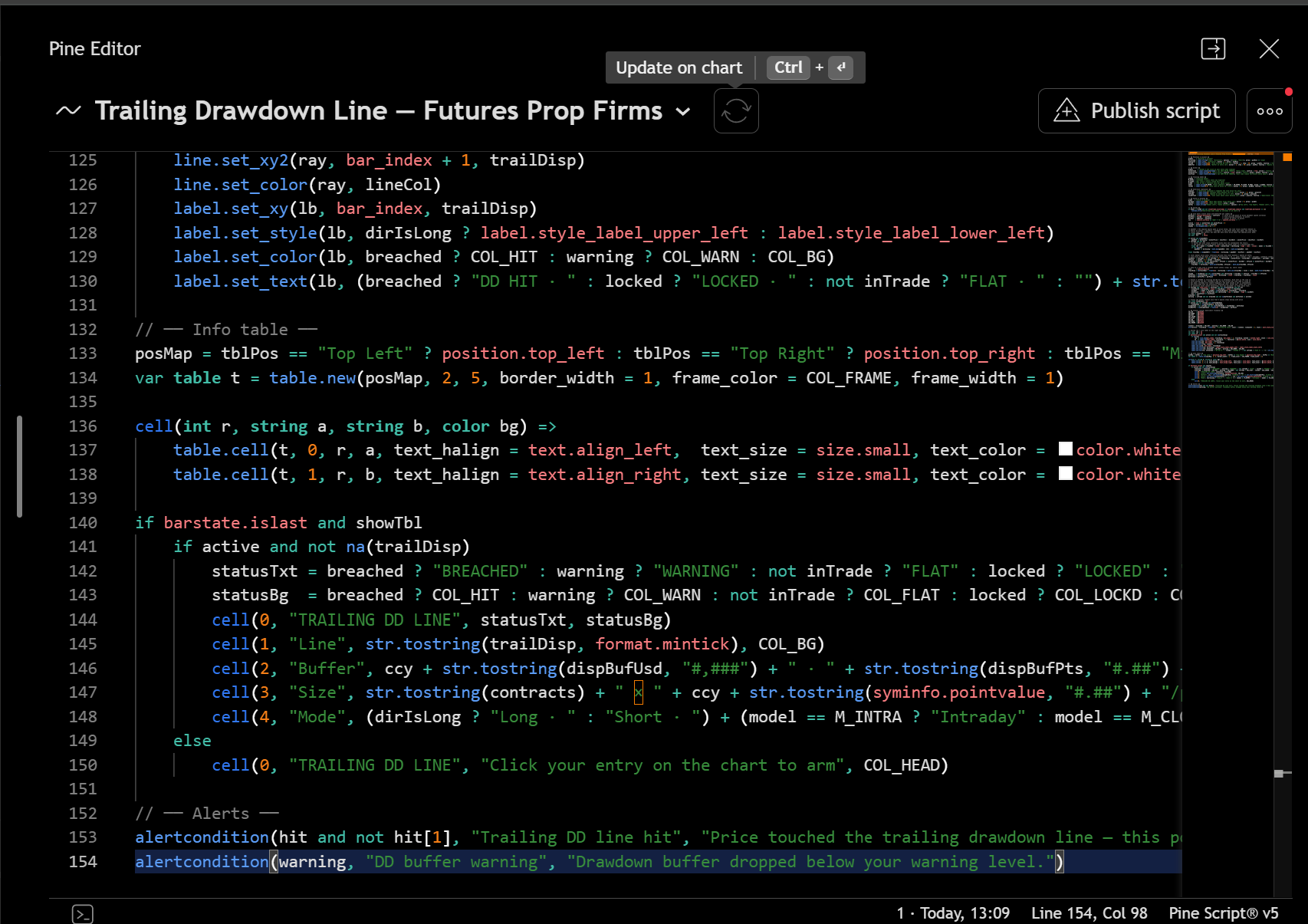
Re-anchor it for every new trade — one click on your entry.
Built for how trailing drawdown actually works
Trails like your firm does
- Ratchets the full DD distance behind your equity peak
- Enter below your peak? Line stays put until you beat it
- Intraday, bar-close and end-of-day models
Live buffer readout
- Dollars and points left before the line
- On-chart label at the right edge
- Dark info table, any corner
Latched breach
- A trailing max-DD hit is terminal — status stays BREACHED
- Conservative wick tests per model
- No false 'safe' after a hit
Lock support
- Manual lock price, or auto from start balance + entry equity
- Status flips to LOCKED
- Apex-style breakeven lock
Every futures symbol
- Point value read from the symbol automatically
- ES, NQ, MNQ, MES, GC, CL, ZB…
- Non-USD contracts show their currency
Two alerts
- Line touched
- Buffer below your warning level
- Set them once, trade hands-free
Who this is for
- Futures prop-firm traders (Apex, Topstep, MFF, Tradeify, BluSky…)
- Anyone on a trailing max drawdown account
- Traders who want their blowout level visible on the chart
- TradingView users on any plan, free included
Probably not for you if
- Your account uses a static (not trailing) drawdown
- You scale in and out of one position constantly
- You hold several instruments at once
- You don't use TradingView
Why we're giving it away free
We compare prop-firm rules for a living. This indicator is the tool we wish every futures trader had before they risked a funded account on a drawdown they couldn't see. So it's free — we'll email you the source and the install guide. All we ask for is your email.
Frequently asked questions
Do I need a paid TradingView plan?
No. You don't need to publish anything or pay for a plan. You paste the indicator's source code into your own Pine Editor and add it to the chart — that's free on any TradingView account.
Which prop firms does it work with?
Any futures prop firm that uses a trailing max drawdown — Apex, Topstep, MyFundedFutures, Tradeify, BluSky and similar. Pick the Intraday model for real-time trailing (Apex-style) or End of day for end-of-day trailing (Topstep-style).
Does it work on every futures contract?
Yes. The contract's point value is read from the symbol automatically, so it works on ES, NQ, MNQ, MES, GC, CL, ZB and the rest without any manual tick-value setup.
Is it really free?
Yes — the Pine source and the install guide are emailed to you in exchange for your email address. It's an educational risk tool; always confirm your firm's exact drawdown rule on their own site.
Educational risk-visualization tool. It models one fixed-size position on one symbol and is not affiliated with any prop firm. Scaling in/out or holding multiple instruments is not modeled. Always confirm your firm's exact trailing drawdown rule on their own site before trading.